NetPoint
Turn complex schedules into intuitive visual plans. Draw, edit, and collaborate in real time—and align teams around what matters most.
Trusted by teams that build.






Planning Built for Every Role.
NetPoint delivers visual, logic-based schedules that adapt to how different project stakeholders plan, communicate, and make decisions—without sacrificing rigor or reliability.
A Schedule You Can Understand and Trust
Owners need more than a graphical timeline—they need a logic-based schedule they can clearly understand. NetPoint’s visual planning environment makes project impacts, critical paths, and alternatives transparent, enabling confident, informed decision-making.
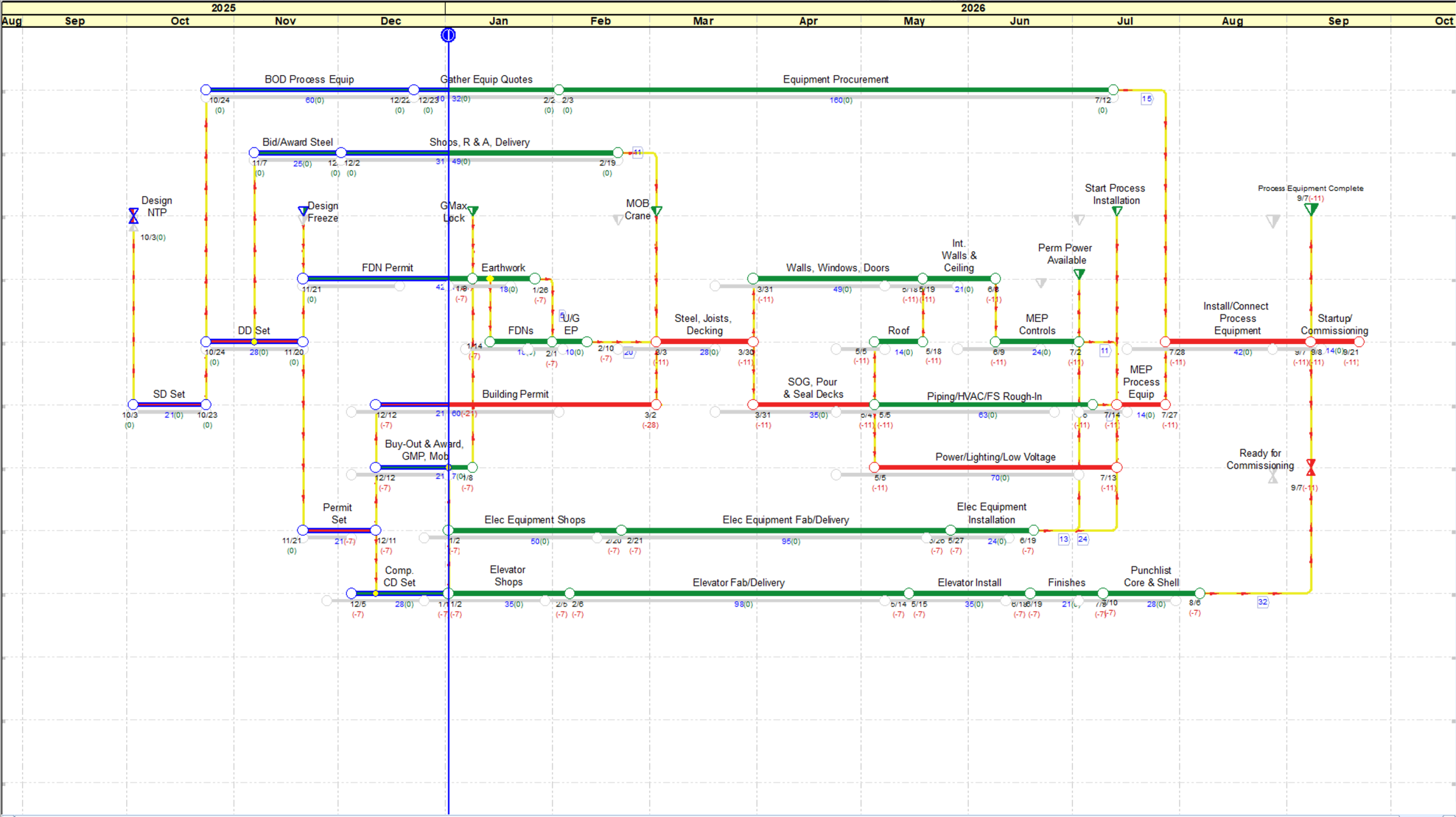
A Reliable Plan That Keeps the Team Aligned
Project Managers rely on schedules that reflect reality. NetPoint’s dynamic logic, float, and drift calculations produce more reliable plans, while its intuitive layout allows all stakeholders to understand, contribute, and stay aligned.
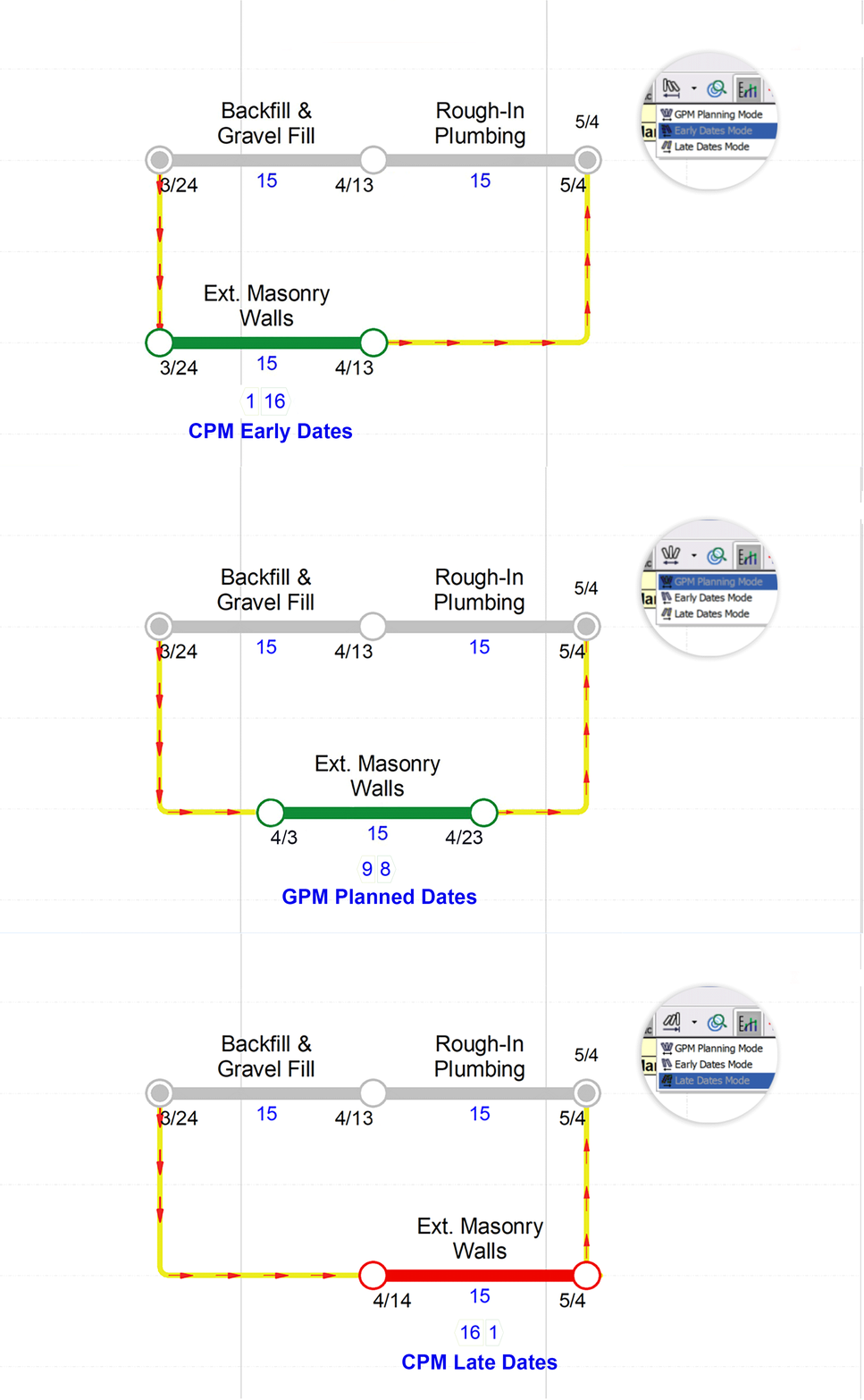
Professional-Grade Scheduling, Without the Friction
Schedulers value precision and control. NetPoint updates logic instantly as activities change, supports resource analysis and what-if scenarios, and provides a visual framework to clearly communicate complex schedule logic.
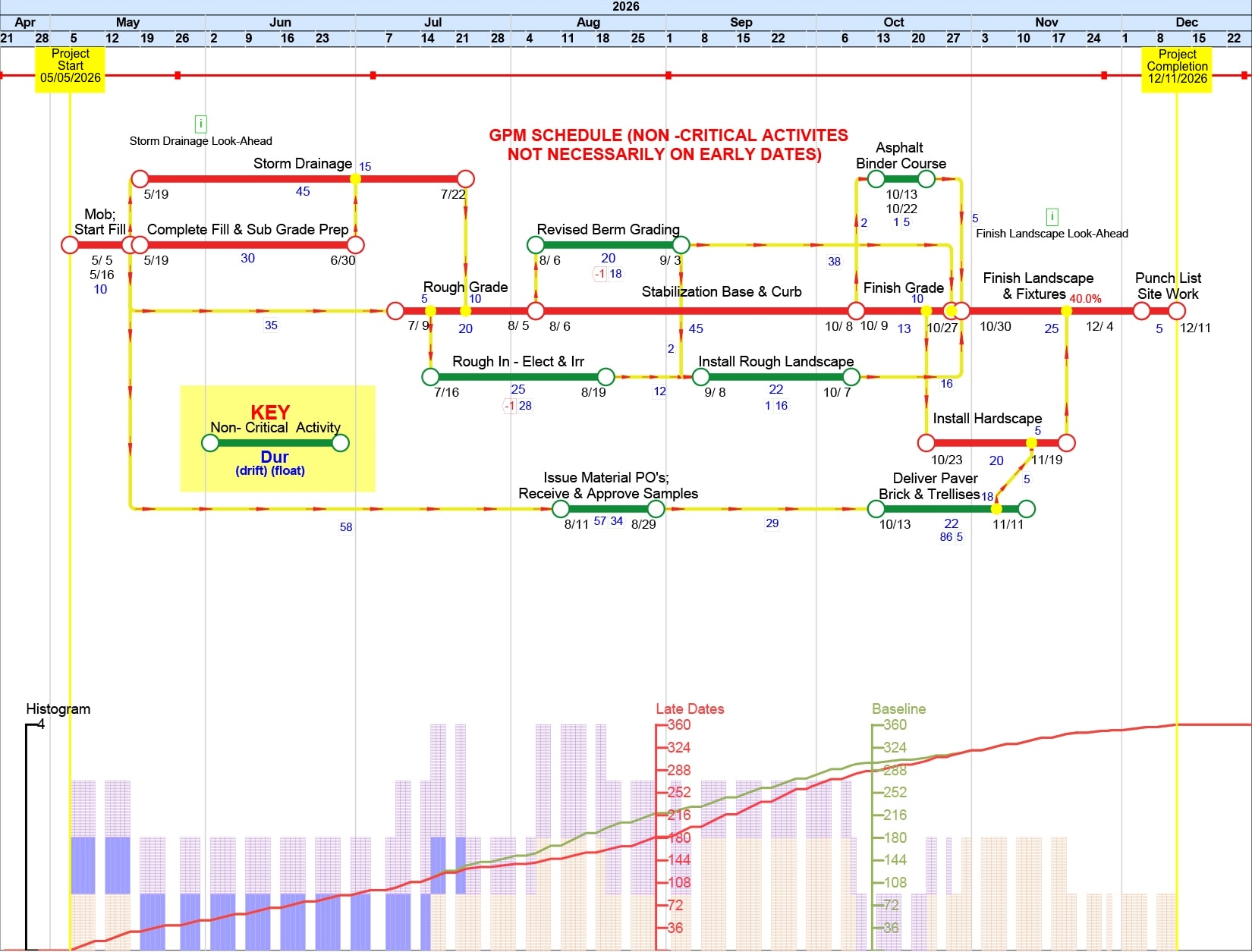
Powerful Scheduling Made Simple
Contractors need schedules that are easy to build, easy to explain, and easy to update. NetPoint’s visual, logic-based approach makes it ideal for smaller functional schedules, look-ahead planning, and collaborative coordination—without advanced scheduling expertise.
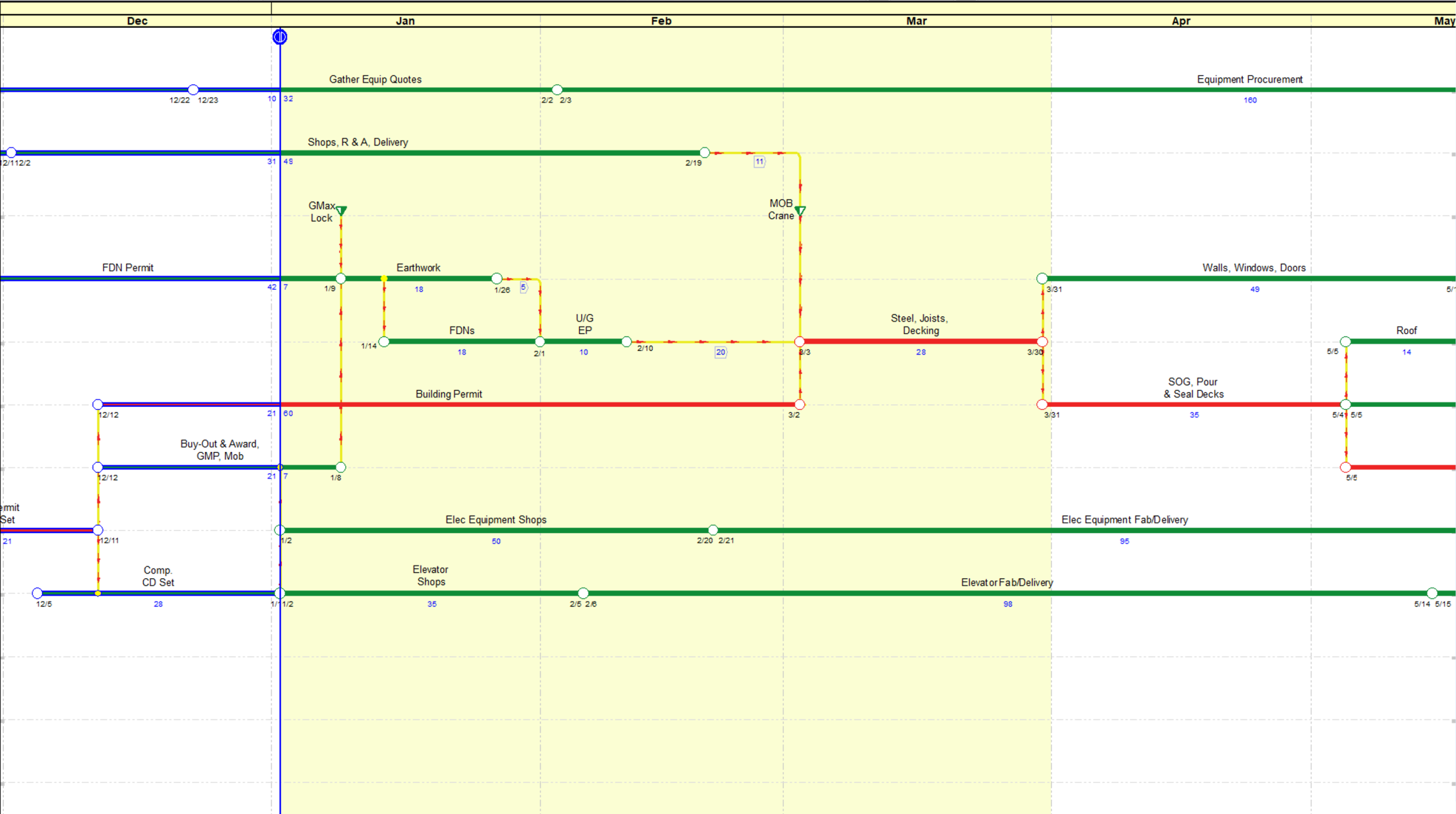
How it Works


Interactive Canvas
Drag and link activities where they belong. See dependencies and sequences visually.

Real-Time Logic

Collaborative Planning
Invite team members to interact, annotate, and commit to a shared plan.

Flexible & Resource Loaded
Backward and forward planning, plus resource histogram overlays.
Need help choosing the right option that fits your needs?
The Graphical Path Method™
A revolutionary scheduling algorithm.
Get Started
Free 30-Day Trial
Try NetPoint for free and experience a more visual, intuitive way to plan and communicate project schedules.
Purchase NetPoint
Try NetPoint for free and experience a more visual, intuitive way to plan and communicate project schedules.
Case Studies
Explore real project success stories and see how NetPoint’s collaborative planning and scheduling capabilities helped teams improve coordination, mitigate risks, and deliver projects on time.

Frequently Asked Questions
Can this project management software be used for construction scheduling?
Construction scheduling professionals created NetPoint to optimize project management and team collaboration. NetPoint provides a highly interactive experience in which all stakeholders on the project can be actively engaged and contribute to project planning. When task changes occur during project planning or execution, NetPoint helps you move activities and adjust durations effortlessly, instantly propagating all changes to the entire network. All objects and data elements update with any schedule modification in real-time. NetPoint provides all stakeholders with a deeper insight into the activities with the greatest impact on the project schedule and completion.
NetPoint has been used to help ensure success on large construction projects in the following ways: high-level program scheduling, commissioning schedules, owner move-in schedules, issue resolution schedules, master (full-wall scheduling) schedules, subconsultant coordination schedules, and forensic total float analysis.
Can I create Gantt charts in NetPoint?
Not exactly. Gantt charts are subjective vs. rule-based and thus not reliable tools for construction scheduling. GPM is a logic-based project time visualization that replaces Gantt charts as a project schedule demonstrative. NetPoint’s combined timescale and Logic Diagramming Method (LDM) create a much clearer graphical representation of the schedule than other schedule visualization methods/tools or project management systems.
What is GPM?
The Graphical Path Method™ (GPM®) is an alternative to the Critical Path Method (CPM) that promotes rapid, collaborative, and informed project planning. GPM® shows the logical relationships of dated objects – such as activities, subtasks, milestones, and benchmarks – in a time-scaled network diagram with high visual impact. GPM® allows schedules to be created more intuitively and introduces innovative concepts that improve schedule optimization and analysis.
How does NetPoint’s collaboration tool lead to best project outcomes?
NetPoint has been recognized by project management professionals as an outstanding project management tool for real-time project scheduling. NetPoint ensures that upper management can quickly and easily visualize and understand activities on the critical path. Project planning becomes a breeze when project teams can readily focus on critical activities and manage project floats. Schedule changes are updated and tracked in real time, leading to optimal project outcomes.
Integrated Project Scheduling
NetPoint is ideal for Integrated Project Scheduling (IPS) sessions because it helps project stakeholders agree on a plan of action, reach commitment, and align teamwork. This process includes designers, CMs, commissioning agents, and others, who can collaboratively identify milestones in design, construction, and commissioning that can be upheld by the project team. For example, if the design team sets a goal to issue a set of documents by a certain date, but the construction manager needs that information one month prior, the team must agree on an alternate solution. This type of team-wide collaboration allows for greater efficiency and planning for all parties involved and ultimately saves time and money. NetPoint’s intuitive graphical interface and hands-on interaction show the immediate impact and result of every decision.
Does NetPoint integrate with any other project scheduling software programs?
Does NetPoint feature document management, time tracking or invoicing?
Is NetPoint the right tool for managing time and resources?
Does NetPoint produce project reports?
Is NetPoint difficult to learn? Is training available?
Are facilitators available to help my organization with our initial planning sessions?
How can I obtain a free trial?
You can get started for free with our 30-day trial version of NetPoint with videos and comprehensive resources to guide you through the trial period. Click here to start seeing how NetPoint project scheduling software can improve your project results today!
What Our Users Are Saying

“Outstanding Software that is User Friendly and Easy to Read”
Easy quick scheduling. Easy to translate message to owners and executive management.

“A Critical Tool in the Professional Scheduler’s Arsenal”
“Great Service!”